For trade contractors in Canada

Run the whole job from your phone.

Hours, schedules, time off, material lists, safety certificates, pay stubs and drawings. One app for the office and the field, in your company's name.

Data kept in CanadaWorks with no signalEnglish · Français · Português · Español

Everything the job needs

One app instead of texts, paper and spreadsheets

Everyone sees exactly what their role needs: the worker, the foreman, the supervisor and the office.

Hours, quarter by quarter

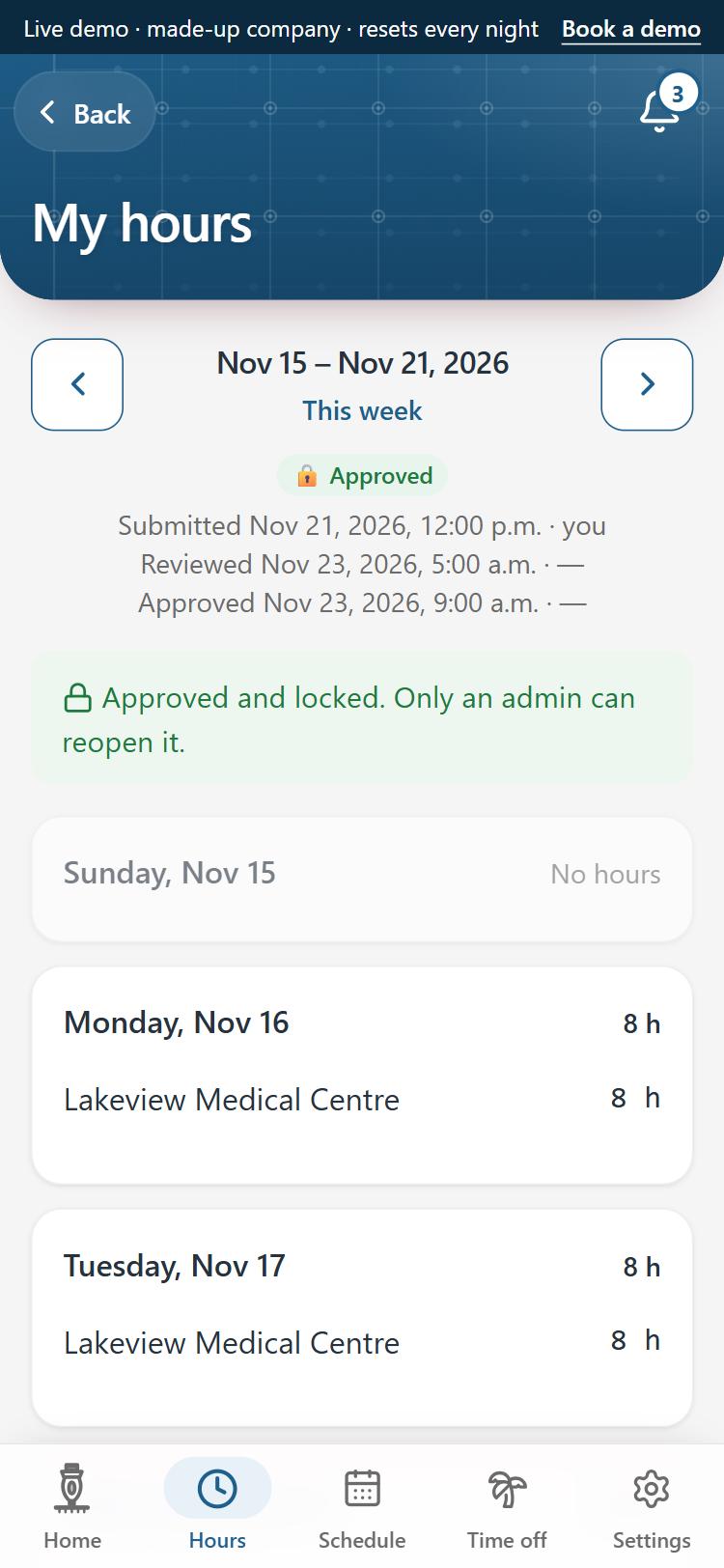
Workers log hours by job site from their phone, or the foreman does it for the crew. Your supervisor checks, the office approves and locks. Every change is recorded.

The schedule, on every phone

Build next week in minutes, copy last week, see who's off. Each worker sees where they're going, with a map link.

Material lists in seconds

Type what you need, pick the site and the day. It goes straight to the office, and the worker sees when it's ordered.

Certificates that never lapse

Working at Heights, WHMIS, lift tickets: reminders 30, 14 and 7 days before they expire, and a warning before you book someone on a site that needs one.

Pay stubs, delivered

Upload the stubs your payroll already makes. Each worker sees only their own, and you can see who opened theirs.

Time off, without the texts

Requests on a calendar, approve in one tap, and the schedule knows who's away.

Drawings for every job

Shop drawings and plans in one place for the crew on site. Office-only where it should be.

Announcements

Toolbox talks, site notices, the year-end barbecue. Pin what matters, send to one crew or everyone.

AI material takeoff

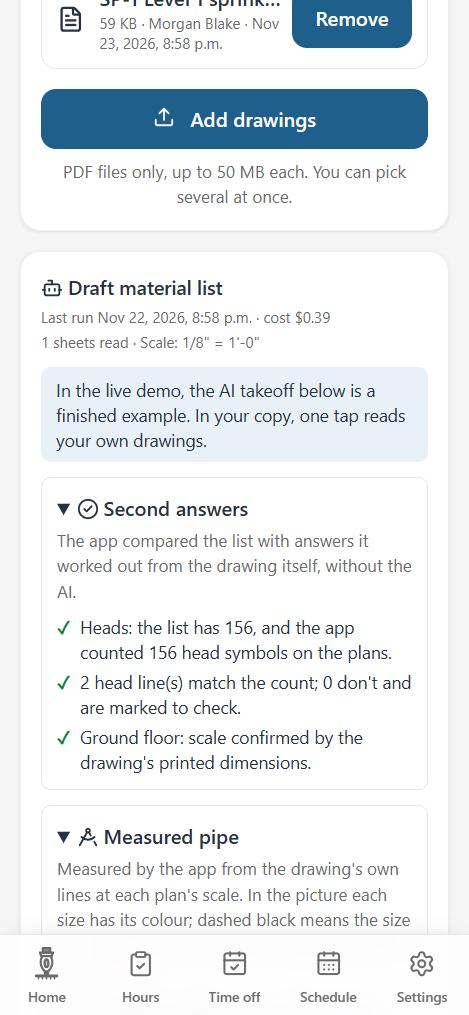
For fire sprinkler drawings: a draft material list from the PDF, checked against the drawing itself. Lines that agree are marked verified; anything doubtful is flagged for a person.
For the office

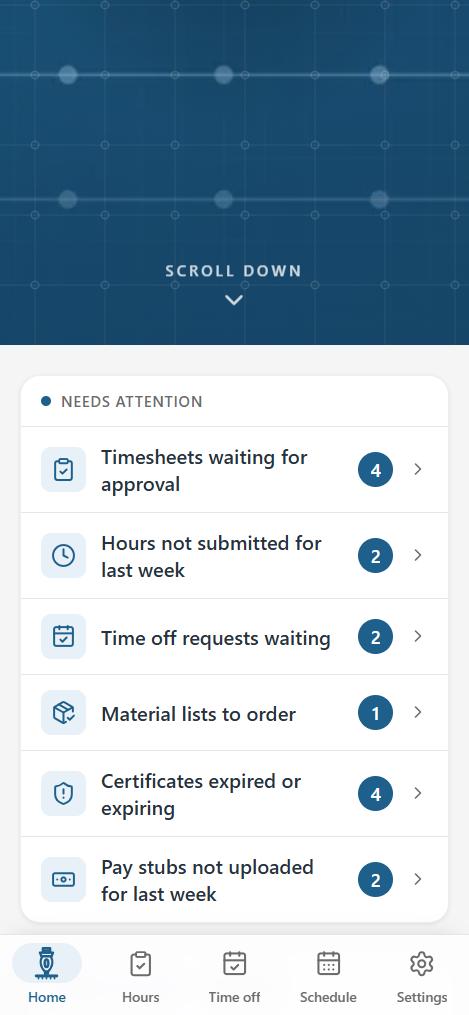
See what needs you, the moment you open it

Hours waiting for approval, time off requests, expiring certificates, missing pay stubs. Tap one and fix it.

  • Approve a whole week of hours in one tap, then download it for payroll
  • Late hours are marked late but never blocked
  • Every edit after submitting is logged and shown to the worker
The office home screen showing what needs attention
A worker's week of hours, approved and locked

For the crew

Hours in seconds, even with no signal

Pick the site, type the hours, done. Reminders before the deadline, and nothing gets lost in the basement.

  • Quarter-hour steps, days over 12 hours flagged
  • Receipt photos attached to the day
  • Their schedule, pay stubs and certificates in the same place

AI takeoff · fire sprinkler drawings

A material list from the drawing, checked twice

Upload the PDF and get a draft list. The app then checks it against the drawing itself: it counts the head symbols, measures the pipe from the CAD lines and confirms the scale.

  • Lines where two answers agree are marked verified
  • Anything that doesn't match is flagged, with a picture of where to look
  • Always a draft for your estimator to check, never a replacement for the engineer
An AI material list with second answers checked against the drawing

See it for yourself

Try the live demo, no sign-up

Look around a made-up company, Northline Mechanical, as the owner, a supervisor, a foreman or a worker. It resets every night, so click anything.

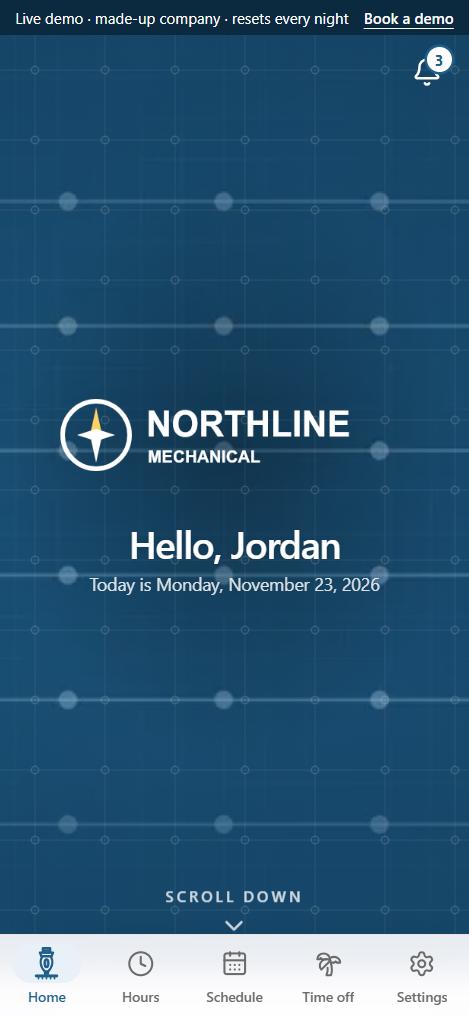
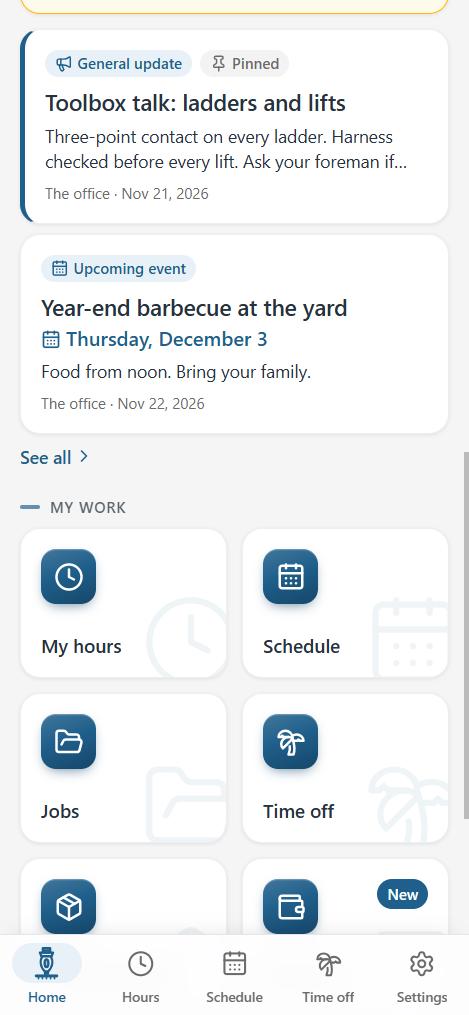
The demo app's home screen for a worker

Pricing

Simple, per worker

Everything included. No per-feature add-ons, no long contract.

CA$9 / worker / month

CA$199 / month minimum · one-time setup from CA$1,000 · plus tax

  • Your company's own copy, with your name, logo and colours
  • Setup with your crews, job sites, pay week and rules
  • Staff accounts imported from your spreadsheet
  • Every module, all four languages, updates included
  • Data kept in Canada with nightly backups
Book a demo

Questions

The things owners ask first

Where is our data kept?

In Canada: the database and files are stored in Canada (Montréal region), encrypted, with nightly backups. Each company gets its own separate copy of the app and its own database.

Will my crews actually use it?

It's built for the phone first, with big buttons, in English, French, Portuguese and Spanish. It works with no signal: entries wait on the phone and send themselves when the signal comes back.

Does it do payroll?

No, and on purpose. It collects clean, approved hours and gives your payroll a spreadsheet download. Keep the payroll you already use.

How secure is it?

Sign-in with a password plus a code texted to the phone. Each person only sees what their role allows, and that's enforced by the database itself. Every approval and change is logged.

Is it our name on it, or yours?

Yours. Your company name, logo and colours, your pay week, your rules and your roles. CrewzCompass stays in the background.

What if we stop using it?

Your records are yours. We export everything for you, and staff can download their own information at any time.

Book a demo

See it with your own crews in mind

Tell us a little about your company. We'll walk you through it in 20 minutes, on a call or in person in the Greater Toronto Area.

We only use this to contact you about CrewzCompass. See our privacy notice.